Turn a realistic AI character into anime, 3D or cyberpunk without losing her
Restyle a realistic AI character as anime, a 3D cartoon or cyberpunk with Qwen Image Edit 2511 in ComfyUI, with tested prompts and what keeps her recognizable.
Once you’ve got a realistic character you like, it’s tempting to see her in other styles. An anime version for a profile picture. A cyberpunk poster. A glossy 3D cartoon for a thumbnail. It’s also a fun way to make a character feel like a real IP rather than a single photo.
The obvious approach, generating a new image with “anime girl with long wavy black hair”, gives you a new person. The approach that works is editing the realistic image into the new style, so the model has her actual face to work from.
This post shows how with Qwen Image Edit 2511 in ComfyUI, using the style prompts from the AI Character Kit, plus an honest look at what survives the trip and what doesn’t.
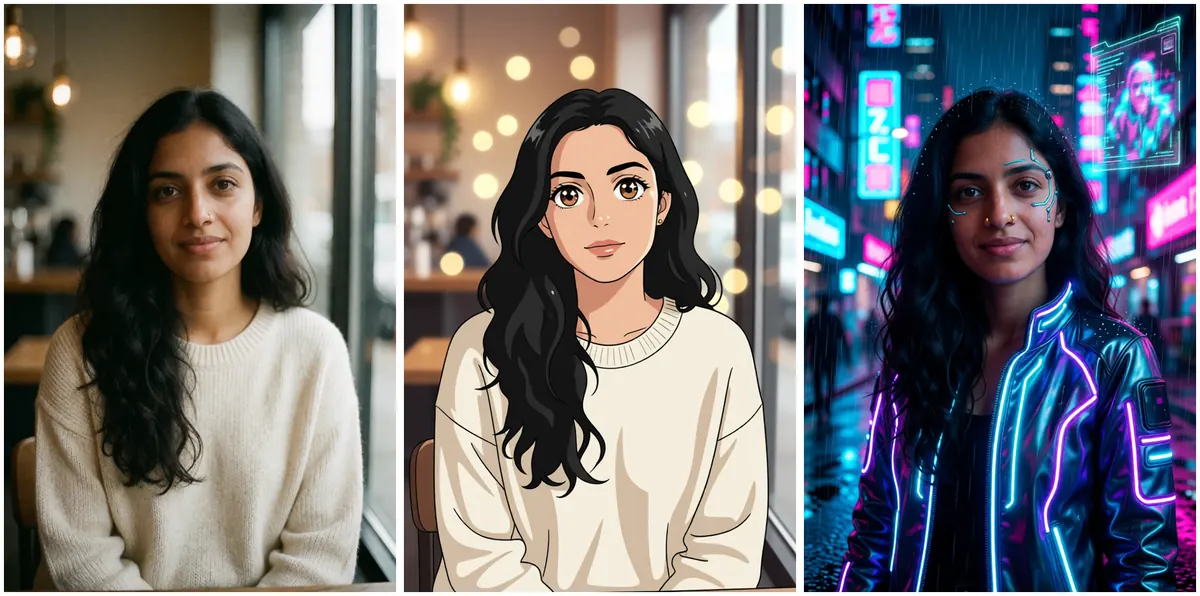
Can an edit model really change the style and keep the face?
Mostly, yes, with one honest caveat up front. A style change redraws the face by definition. Anime eyes aren’t human eyes. So you’ll never get pixel-level identity the way you do with an outfit change.
What you can keep is the stuff people actually recognize: face shape, hair silhouette, colouring, outfit, the overall vibe. Look at the anime version above. The proportions are cartoonish, but the hair, the sweater, the cafe and the calm half-smile all say “same person”. That’s the realistic goal.
What do you need set up?
The same workflow you’d use for new scenes. If you haven’t set up Qwen Image Edit yet, the Qwen Image Edit 2511 beginner guide covers the files and nodes. Settings in the kit’s workflow 02:
| Setting | Value |
|---|---|
| Model | qwen_image_edit_2511_fp8mixed |
| LoRA | Lightning 4 step, strength 1 |
| Steps | 4 |
| CFG | 1 |
| Sampler / scheduler | euler / simple |
| Input | scaled to about 1 megapixel |
About 15 seconds per image on an RTX 3090 Ti. The official ComfyUI tutorial for Qwen Image Edit 2511 has a stock template if you’d like to compare, and the model card lives on the Qwen-Image-Edit 2511 Hugging Face page.
Which prompts work for anime, 3D and cyberpunk?
These three come straight from the kit’s prompt library.
Anime
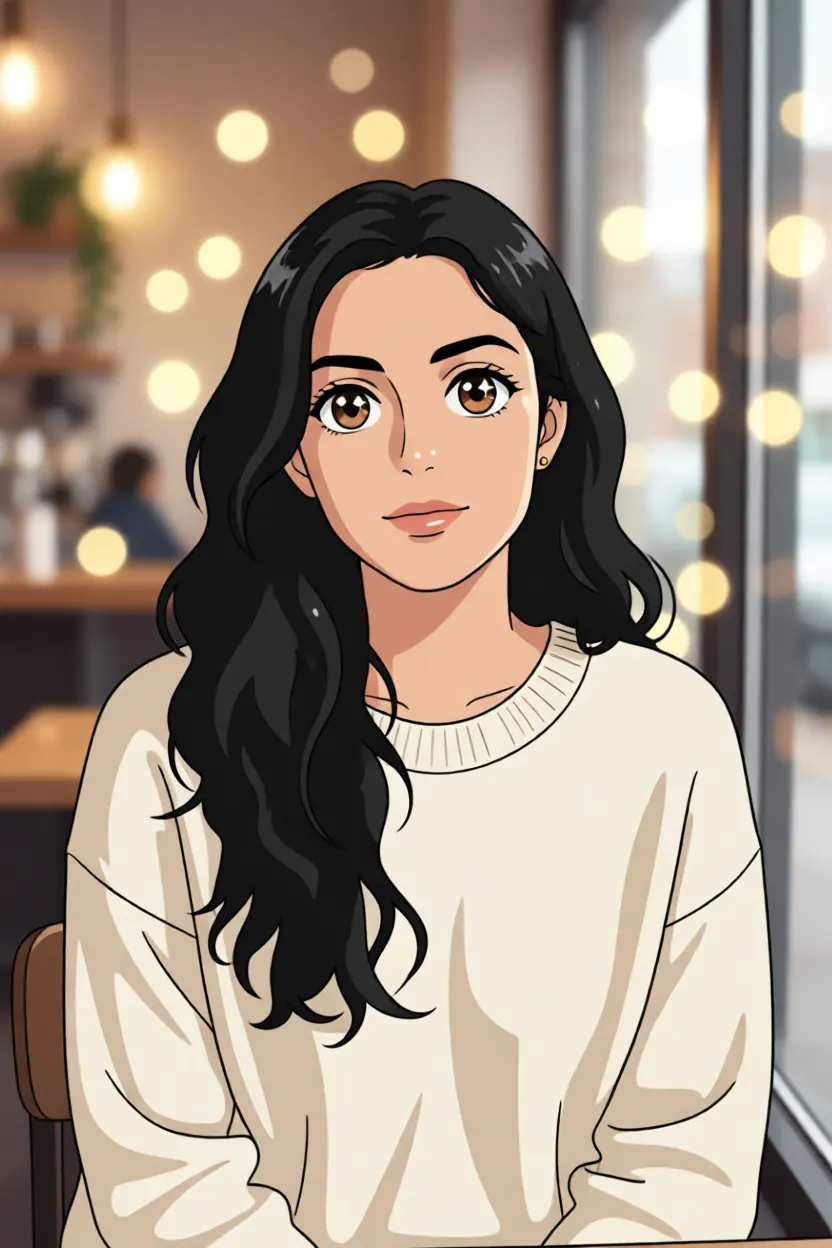
Turn the woman into a 2D anime character, same face shape, same hair, same outfit
and same background, clean line art, soft cel shading
Notice what this prompt does. It changes the style and nothing else. Same outfit, same background. That’s on purpose. The style change is already the one big change for this run, so everything else stays put.
“Same face shape” rather than “same face” is a small but smart choice here. You’re asking for the bone structure to carry over, which anime can actually do, rather than the realistic features, which it can’t.
Cyberpunk
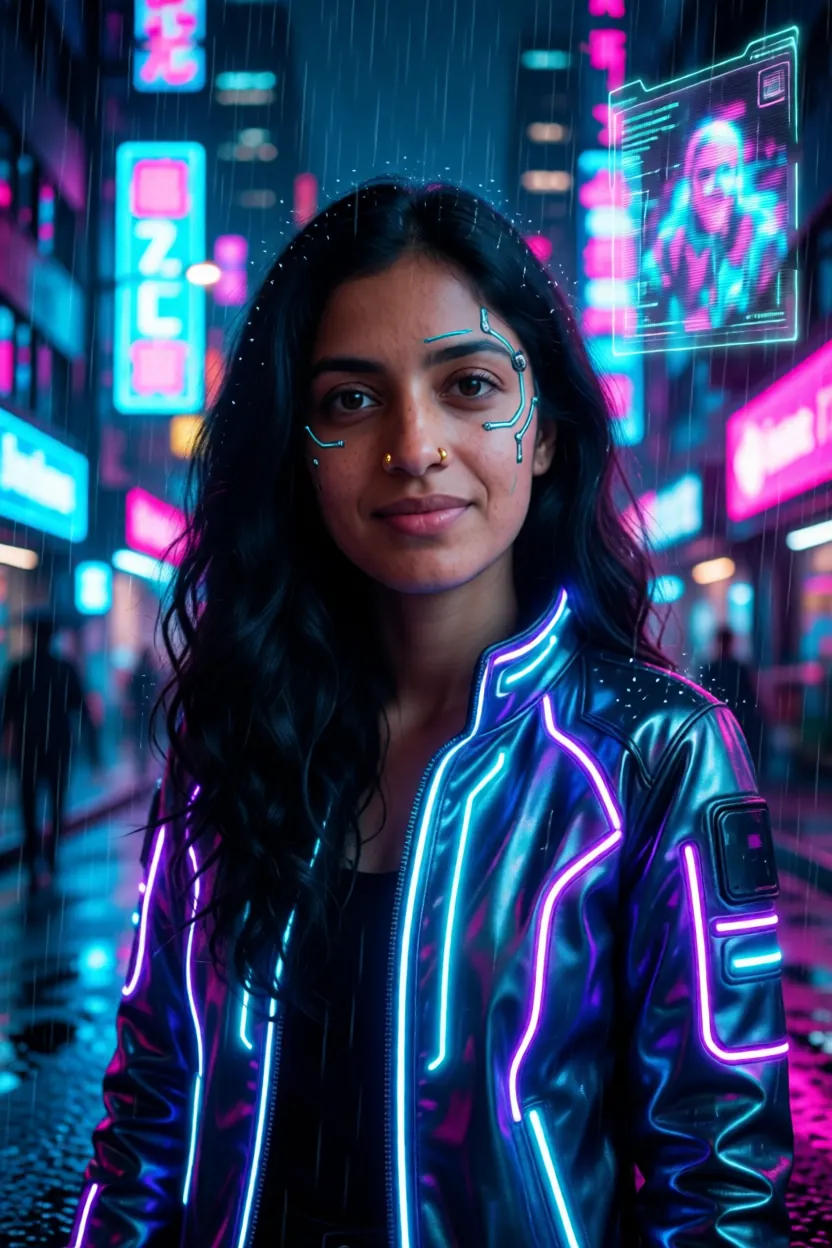
Show the same woman, same face and hair, as a cyberpunk character in a glowing
neon jacket with subtle face circuit lines, rainy neon city at night, cinematic
This one’s different. It keeps her photographic and changes the world around her: the jacket, the lighting, the setting, plus a few circuit lines on the face. Because the face stays realistic, cyberpunk keeps identity much better than anime does. If you want a stylised version that still clearly reads as her, start here.
The word “subtle” is doing real work. Without it, the face lines can take over and you get a different person in a mask.
3D cartoon
Turn the woman into a 3D animated movie character, same face, same hair, same
outfit, soft studio lighting, big expressive eyes
This sits between the other two. The big eyes and smooth skin move it away from her real face, but the hair and outfit usually carry it. I don’t have a sample of this one to show, so try it and judge for yourself. Expect to reroll a couple of times.
Why does anime lose more of her than cyberpunk?
It comes down to how much of the face gets redrawn.
Cyberpunk changes light and clothing. The face is still a photo, with her nose, her eyes, her skin. Anime replaces all of that with a few lines and flat colour. The model has to decide which of her features to keep in a style that has room for very few.
So in anime, recognition rests almost entirely on the big shapes: the hair, the face outline, the outfit. That’s one reason the character prompt formula pushes for a distinctive hair shape. A wavy black curtain or a light brown bob with bangs survives the trip into anime. “Brown hair” doesn’t.
What keeps her recognizable through a style change?
A few habits, most of them borrowed from regular scene edits:
- Always start from the realistic base image. Not from a beach edit, not from the anime version. Restyling a restyled image drifts fast.
- Change the style and nothing else. Keep the outfit and background in the prompt as “same”. If you want anime-her on a beach, do the beach edit in realistic first, then restyle that single image. Two careful steps beat one greedy one.
- Name the hair and the marks. “Same hair” every time. If she has a ribbon or a nose stud, mention it, though small marks like a stud often disappear in flat styles anyway.
- Reroll before rewriting. A style change is a bigger ask than a new outfit, so expect more variation between seeds. Give it two or three tries.
What about Krea 2’s style LoRAs instead?
Krea 2 has its own style LoRAs (retro anime, soft watercolor, dark brush and others) on the Comfy-Org Krea 2 page. They’re good at what they do. But they generate from text, which means a fresh face every time. They’re great for a new stylised character, not for restyling the one you already have.
If identity matters, edit. If you just want a nice illustration, the LoRAs are fine.
Which other styles are worth trying?
The kit’s library has ten style prompts. A few others that hold up nicely:
Turn the image into a classical oil painting of the same woman, same face and
pose, visible brush strokes, warm museum light
Turn the woman into a comic book character, same face and hair, bold ink lines,
halftone shading, bright flat coloursShow the same woman, same face, as a 1970s film photo, warm faded colours, film
grain, flared jeans and a suede jacketOil painting and vintage film should hold on to more of her, since they stay close to realistic. Pixel art is the opposite. Its library prompt only asks for the same hair colour and outfit, because once a face is a handful of chunky pixels there isn’t much of it left to keep. Treat that one as a fun extra.
Can you animate the stylised versions?
Yes. A stylised still goes into Wan 2.2 image to video exactly like a realistic one; the kit’s samples include short clips of both the anime and the cyberpunk Aanya. The settings are in the Wan 2.2 image to video guide. Keep motion small, a head turn or a smile, since stylised faces can warp more easily with big movements.
And a quick reminder: all of this is for fictional characters. Restyling a real person’s photo into scenes they never agreed to is still a deepfake, even in anime.
If you’d like these style prompts ready to paste alongside the edit workflow, they’re in the AI Character Kit. Otherwise, the three prompts above are a solid place to start.