How to run a consistent AI influencer content calendar (fictional characters only)
Plan 30 posts for a fictional AI character from one base image: a weekly mix of stills, clips and talking videos, one batch session, and honest AI labels.
Most AI influencer accounts die in week two. Not because the images are bad, but because the face changes a little in every post and the person running it runs out of ideas. People notice.
This guide fixes the boring part: planning a month for one fictional character, making it in a sitting or two, and labelling it properly. One rule before anything else. The character has to be fictional. Not a lookalike of a creator you like, not your ex, not a celebrity with a different haircut. A made-up person, with made-up brands in the frame unless a client hired you.
What does “consistent” actually mean for an AI character?
Same face, same small marks, same personality in every post. People forgive a new outfit or a new city. They don’t forgive a different nose.
The way to get that is to stop generating the character from scratch. You make one base image, treat it as the master copy, and build every post from it. The method is covered in detail in how to keep the same face without LoRA training, so I’ll keep it short here.
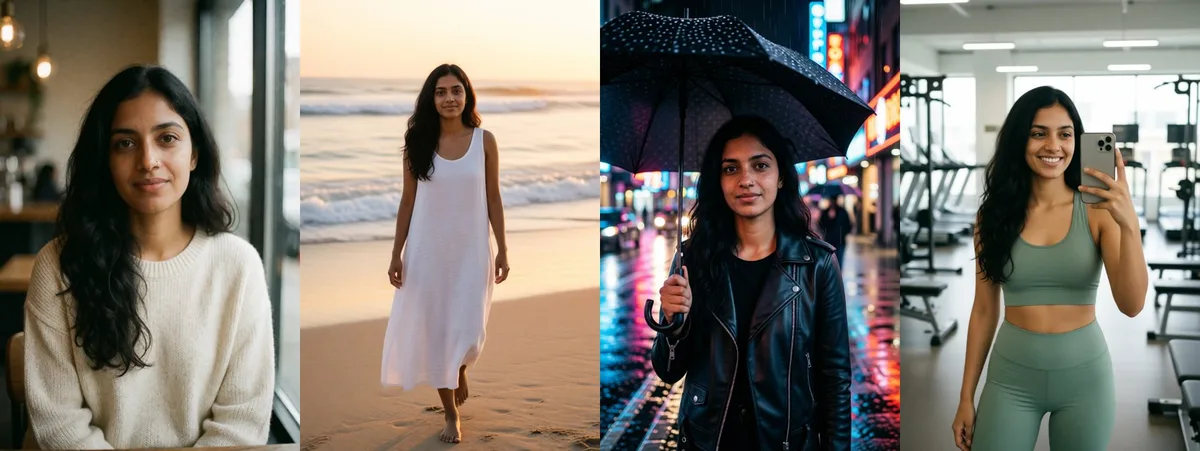
Aanya, the kit’s sample character, has a gold nose stud and light freckles. Check both in every new image. No stud, no post.
How do you build a base image that lasts 30 days?
Spend more time here than feels reasonable. Every post this month copies this face.
- Write the character with the prompt formula: photo type, name, age, hair, eyes, one or two unique marks, skin detail, a simple outfit, a place and the light.
- Ask for “natural skin texture with visible pores” and skip words like “flawless” or “8k”. They make skin look plastic.
- Keep the face large, near the camera, lit evenly, with no hands or hair across it. Waist up is ideal.
- Run it several times and pick the one you’d be happy to see 30 times.
- Save it as
character.pngand never edit that file again.
Write a short bio too: where she “lives”, what she’s into, how she talks. It sounds fluffy, but it’s what makes post 23 feel like the same person as post 2.
How do you plan 30 posts without running out of ideas?
Don’t plan 30 individual posts. Plan four repeating slots per week and fill them. Here’s the mix I’d start with for a lifestyle character:
| Slot | Format | Made with | Per month |
|---|---|---|---|
| Everyday moment | Still photo in a new place | Workflow 02 (scene edit) | 12 |
| Camera roll realism | Mirror selfie, car selfie, front camera | Workflow 02 | 6 |
| Moving post | 5 second clip of a still | Workflow 03 (image to video) | 8 |
| Talking video | Character speaks to camera | Workflow 04 (character swap) | 4 |
That’s 30. The ratio matters more than the numbers: mostly stills, because they’re fast and fix the face in people’s memory, plus a few clips so the account doesn’t feel frozen.
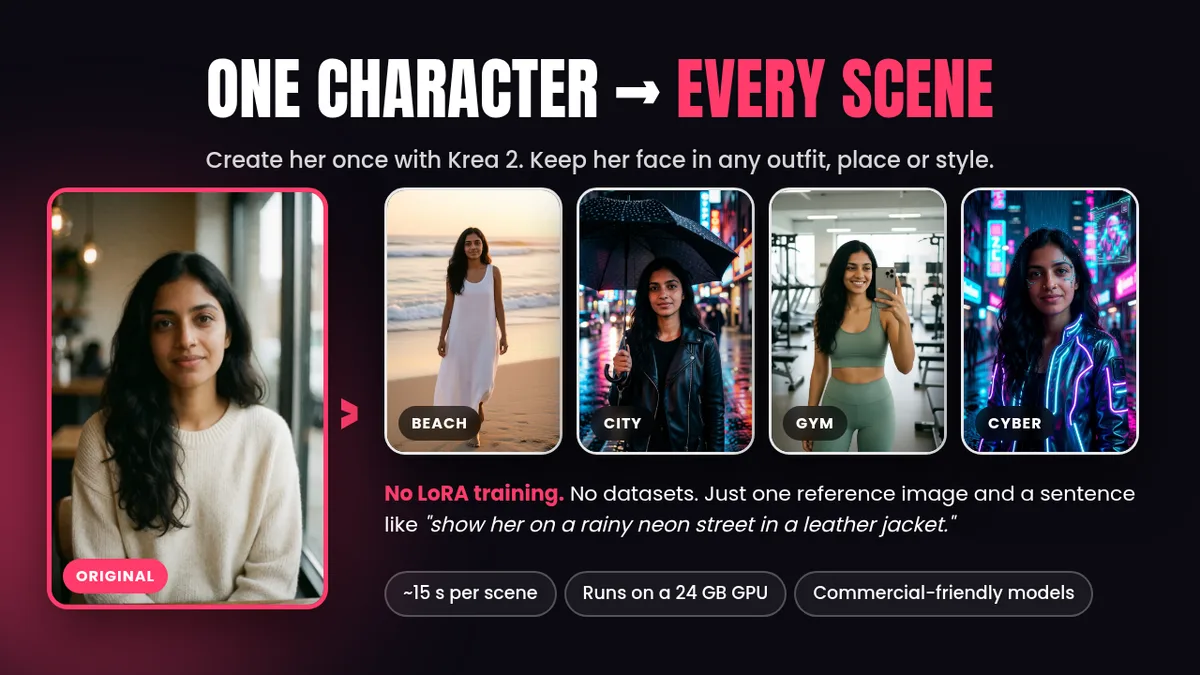
For stills, rotate places that fit the bio: coffee shop, airport, bookstore, beach. The kit’s prompt library has 24 scene and phone-photo prompts, nearly a month on its own.
How long does a month of content take to make?
Less than you’d think, if you batch it. Using the timings measured on an RTX 3090 Ti after models were loaded:
| Format | Time each | Count | Render time |
|---|---|---|---|
| Scene still (workflow 02) | about 15 s | 18 | about 4.5 min |
| Clip (workflow 03) | about 2 min | 8 | about 16 min |
| Talking swap (workflow 04) | about 3 min | 4 | about 12 min |
Roughly half an hour of pure render time. You’ll rerun seeds and bin plenty of images, so budget an evening or two. Still far better than making each post the day it goes out.
A batching order that works:
- Stills first. Write all 18 scene prompts in a text file, run them one after another from the original base image, and save the keepers into dated folders.
- Pick 8 stills to animate. The ones with simple poses and clear faces. Small movements like a head turn or hair in the wind look best.
- Swaps last. These need a driving clip, so film yourself or generate a driver. The steps are in the Wan Animate 2 character swap guide.
- Caption and schedule everything at once.
How do you stop the face drifting over a month?
The rules are simple. Following them for 30 posts is the hard part.
- Always start from the original base image. Never edit an edit. Drift compounds.
- Say “same face” and name the marks in every prompt: “same face, same hair and same nose stud”.
- One big change per run. New place plus new outfit is fine. Add a new hairstyle and an art style and you’re asking for a cousin.
- Rerun the seed before you rewrite the prompt. Often the prompt was fine.
- Keep a log. A plain spreadsheet with date, prompt, seed and file name. When a post does well, you can make its sequel.
Then compare each new image with the base at phone size. If you hesitate, don’t post it.
How should you disclose and label AI content?
Label everything. It’s honest, and the platforms require it anyway.
TikTok’s AI-generated content rules require creators to label AI content that contains realistic images, audio or video. You can turn on the “AI-generated content” setting before posting, which shows a “creator labeled as AI-generated” tag. TikTok also says that setting won’t affect distribution as long as the post follows its guidelines. It may also add an auto label to content carrying C2PA Content Credentials. Instagram asks for the same kind of AI label.
What I’d do on top of the platform toggle:
- Say it in the bio. Something like “AI character. Fictional. Made by [your studio name].” No one should have to dig.
- Tag ads and sponsored posts visibly, not just with the toggle.
- Never write fake first-hand claims. “I’ve used this serum for three weeks” from a person who doesn’t exist is a fake testimonial. Write it as the character’s scripted opinion, or keep it to what the product is.
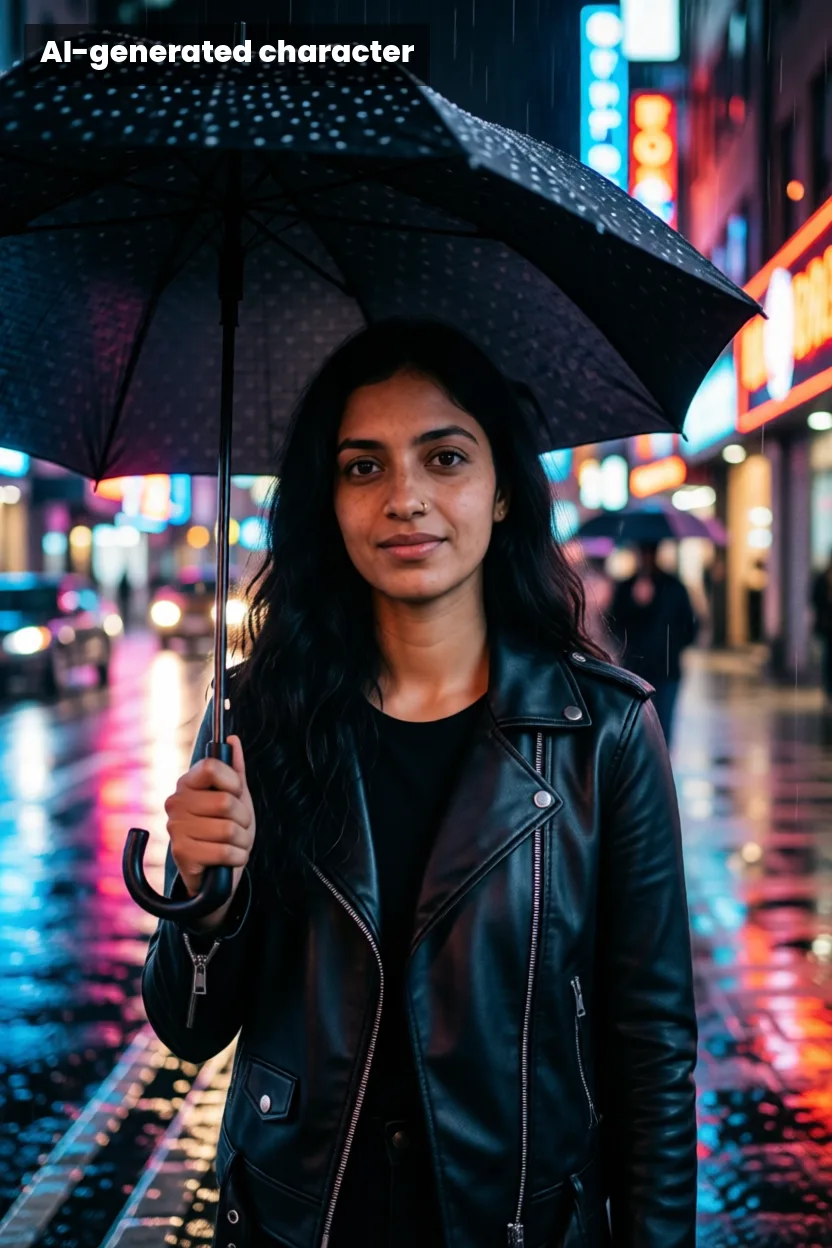
Some things aren’t fine even with a label. TikTok bans AI content showing the likeness of anyone under 18, the likeness of private adults without their permission, and public figures shown endorsing things. Keep the character clearly adult and clearly made up, and the problem never comes up.
What should a fictional influencer never do?
- Copy a real creator’s look or videos. No downloading someone’s TikTok to use as a driving clip. Film yourself or generate the driver.
- Use real brands without a deal. Test with invented products like BERRY GLOW or DEW LAB, which is what the UGC product ad recipe does.
- Pretend to be human in comments. If asked, answer straight.
- Clone a real person’s voice. Use your own voiceover or a TTS voice whose license covers your use.
Is a fictional AI creator a bit strange? A little. But a clearly labelled character is a creative format, like a mascot or a cartoon host. It only gets ugly when someone hides what it is.
Where should you start this week?
Make the base image today, fill the first week’s slots, and post on a schedule you can keep, even if that’s three times a week. A steady face and a steady schedule are the same habit.
The AI Character Kit has the four workflows used for this plan, the full prompt library for scenes, phone photos and motion, and the guide PDF. It’s $39 if you’d rather skip the wiring and start making the month.