Qwen Image Edit outfit changes: keep the face, swap the clothes
Change your AI character's outfit with Qwen Image Edit 2511 in ComfyUI and keep her face: the prompt pattern, how to describe clothes, and fixes for drift.
An AI character who wears the same sweater in every post gets old fast. The trouble is that changing the clothes is exactly when most methods lose the face. You rewrite the prompt with a leather jacket, and she comes back with a different jawline and someone else’s eyes.
Qwen Image Edit 2511 handles this better than anything else I’ve used in ComfyUI. You give it the original picture and a sentence about the new outfit, and it redraws the clothes while copying the face from the pixels. About 15 seconds per edit on an RTX 3090 Ti with the Lightning LoRA.
Here’s how to do it reliably, using workflow 02 from the AI Character Kit.
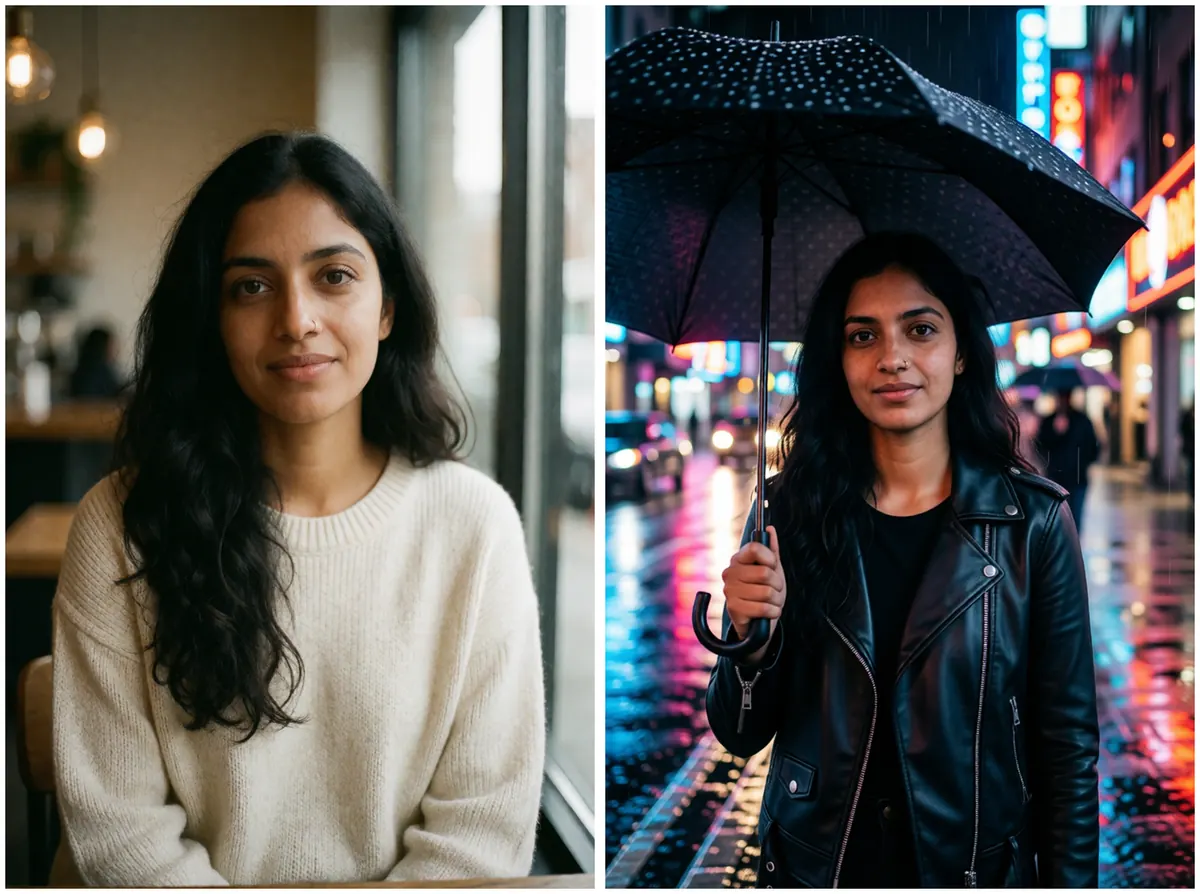
Why edit the image instead of rewriting the prompt?
Because a new prompt is a new roll of the dice. Text to image models start from fresh noise every time, so “Aanya in a leather jacket” produces someone who matches the words, not someone who matches your first image.
An edit model works the other way. It looks at your picture and changes only what you asked for. The face is never regenerated from a description. It’s carried over. That’s the whole idea behind keeping the same face without LoRA training, and outfits are the most common use of it.
What do you need set up?
Four model files and a handful of nodes. If you haven’t done it yet, the Qwen Image Edit 2511 beginner guide walks through every one. The short version:
| Setting | Value |
|---|---|
| Model | qwen_image_edit_2511_fp8mixed |
| Text encoder | qwen_2.5_vl_7b_fp8_scaled |
| LoRA | Qwen-Image-Edit-2511-Lightning-4steps-V1.0, strength 1 |
| Steps | 4 |
| CFG | 1 |
| Sampler / scheduler | euler / simple |
| Model sampling shift | 3.1 (ModelSamplingAuraFlow) |
| Input image | scaled to about 1 megapixel |
The model comes from the official Qwen-Image-Edit 2511 page, repackaged for ComfyUI by Comfy-Org, and the 4 step LoRA from lightx2v’s Lightning page.
One setting trips up nearly everyone: with the Lightning LoRA, CFG has to be 1. Leave it at the default 7 or 8 and you’ll get burnt, oversaturated colours that look like a bad filter. If you bypass the LoRA for maximum quality, go to 20 or more steps and CFG around 4.
What does an outfit prompt look like?
The kit uses one sentence pattern for every scene:
Show the same [woman/man] from the image, same face, same hair and [unique mark],
now [action] [place] [time/light] in [outfit], [camera style], natural skin texture
For the rainy street image above:
Show the same woman from the image, same face, same hair and same nose stud, now
standing on a rainy neon street at night in a black leather jacket, holding a
clear umbrella, reflections on the wet road, candid photo
Look closely and you’ll see it gave her a black umbrella, not a clear one. That’s the kind of small miss you either reroll or shrug at. The face and the jacket came through, which is what I cared about.
Edit prompts are instructions, not descriptions. You’re telling the model what to keep and what to change. “Same face” sounds too obvious to bother with, but it genuinely helps. So does naming the small details. Edit models tend to drop jewellery, ribbons and tattoos unless you mention them.
Can you change only the clothes?
Yes. If you like the original setting and only want a new outfit, tell it to keep the pose and the background too. This is a variation I’d start from:
Show the same woman from the image, same face, same hair, same nose stud, same
pose and same background, now wearing a camel turtleneck and gold hoop earrings,
candid photo, natural skin texture
The less you ask the model to change, the less room it has to drift, so clothes-only edits are a good place to start.
How should you describe the clothes?
Think like a shop listing. Colour, material, garment, and one detail if it matters.
- “a white linen dress” works better than “a summer dress”
- “a sage green sports bra and matching leggings” works better than “gym clothes”
- “a black leather jacket” works better than “an edgy outfit”
Vague words make the model guess, and when it guesses the outfit it sometimes guesses a bit of the face along with it. Specific clothes keep it focused.
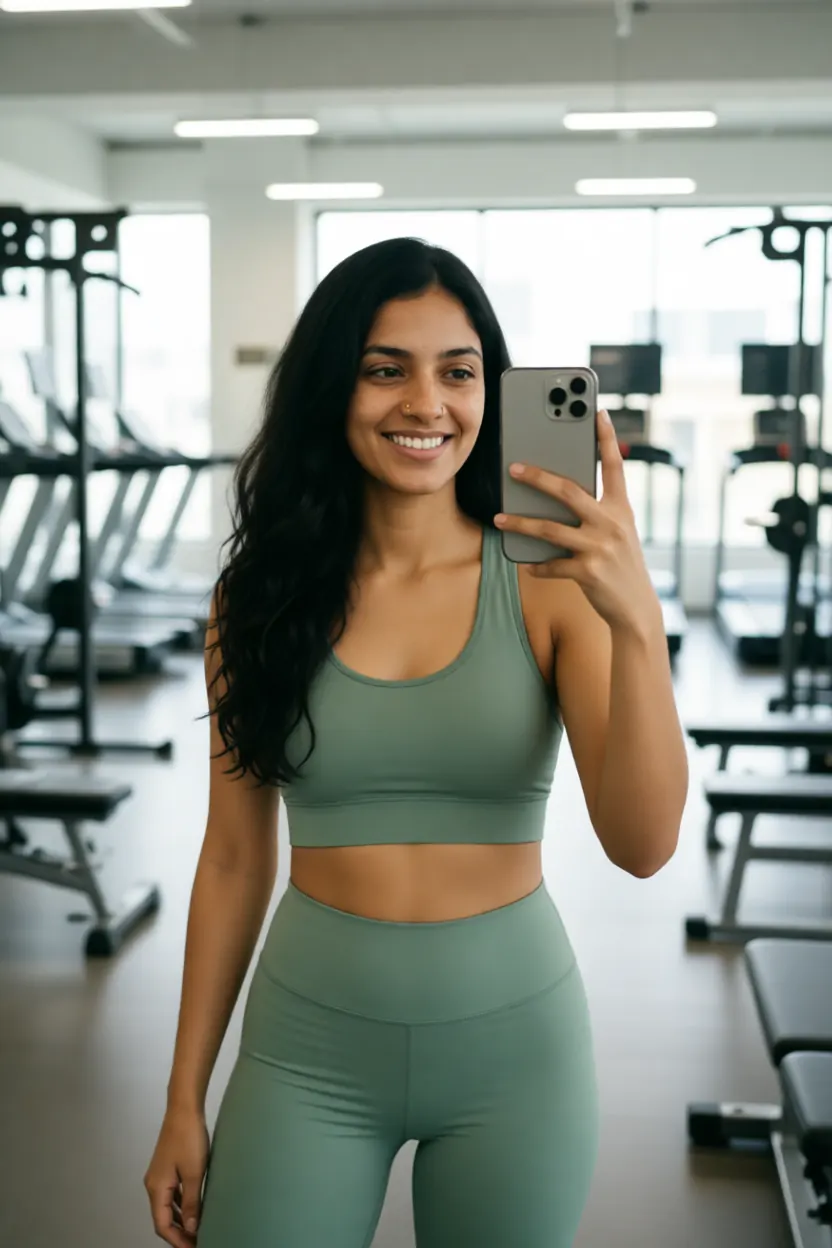
That gym shot came from the library prompt “…taking a mirror selfie in a modern gym in a sage green sports bra and matching leggings, phone in hand, bright overhead light.” Note that it changes the place and the outfit together. That’s fine.
How much can you change in one run?
One big change per run is the rule, and new place plus new outfit counts as one change in practice. They go together naturally: a beach and a linen dress, a gym and a sports bra.
What doesn’t work is stacking. New place, new outfit, new hairstyle and a new art style all at once is asking for drift. If you want all of those, do them as separate edits from the original, not as one sentence.
Why does the face change anyway sometimes?
A few usual suspects:
You edited an edited image. This is the big one. Each generation adds a little drift, like a photocopy of a photocopy. Always go back to the original character.png. Treat it as the master copy and never overwrite it.
The face is small in the input. If your base image is a full-body shot, there just aren’t enough pixels of face to copy. Waist up works far better.
You didn’t name the marks. If the nose stud vanishes, the model was probably also loose with the face. Add “keep the small gold nose stud”.
Bad luck. Press Run again with a new seed before you rewrite anything. More often than you’d expect, a “broken” prompt is just one unlucky seed.
The outfit covers the face. Hoods, big sunglasses, scarves up to the nose. The model has less face to lock onto. Do those as a second pass if you need them.
How do you build a full wardrobe set?
Load character.png once and queue several prompts, each a different outfit and place, all from the same original. At 15 seconds each, a set of eight takes a couple of minutes.
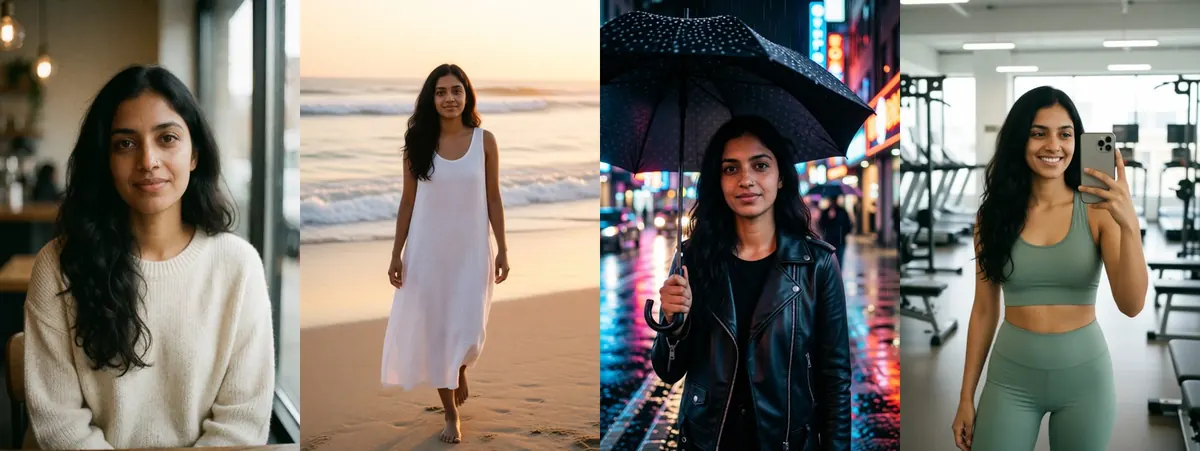
Name the outputs as you go (beach, city, gym) so you can find them later. And look at the set side by side, like the grid above. Drift is easy to miss in one image and obvious in four.
A nice side effect: twenty or thirty images like this, same face across different outfits and light, are exactly what a LoRA trainer wants. So if you ever decide you need a LoRA for even tighter consistency, you’ve already got the dataset.
What about branded clothing?
Keep it fictional or your own. A t-shirt with a made-up logo is fine. Putting a real company’s logo on your character without them hiring you isn’t, and it can get your posts taken down. Same rule for faces: only edit fictional characters or people who’ve given you clear permission.
Where does this go next?
Every outfit shot can become a 5 second clip with the Wan 2.2 image to video settings. And if you want to push further than clothes, the same edit workflow handles anime, 3D and cyberpunk versions of her too.
Workflow 02 in the AI Character Kit is this exact setup, with the prompts above and 16 scene prompts already tested. Worth a look if you’d rather skip the wiring.